
Your maximum, your choice: configurable reference maximum for ATL/CTL
Many of you have been asking for this in our feature request platform for years. It’s live now: you can decide which maximum your ATL/CTL percentages refer to.
A quick refresher: what ATL and CTL mean
Runalyze calculates your training load based on the TRIMP concept, which assigns an impulse value to every activity. Two averages come out of this:
- ATL (Acute Training Load) is your training impulse over the last 7 days, basically how tired you are right now.
- CTL (Chronic Training Load) is your impulse over the last 42 days, a good indicator of your fitness.
Next to the absolute values, Runalyze shows both as a percentage. So far that percentage always referred to one thing: the highest value in your complete history.
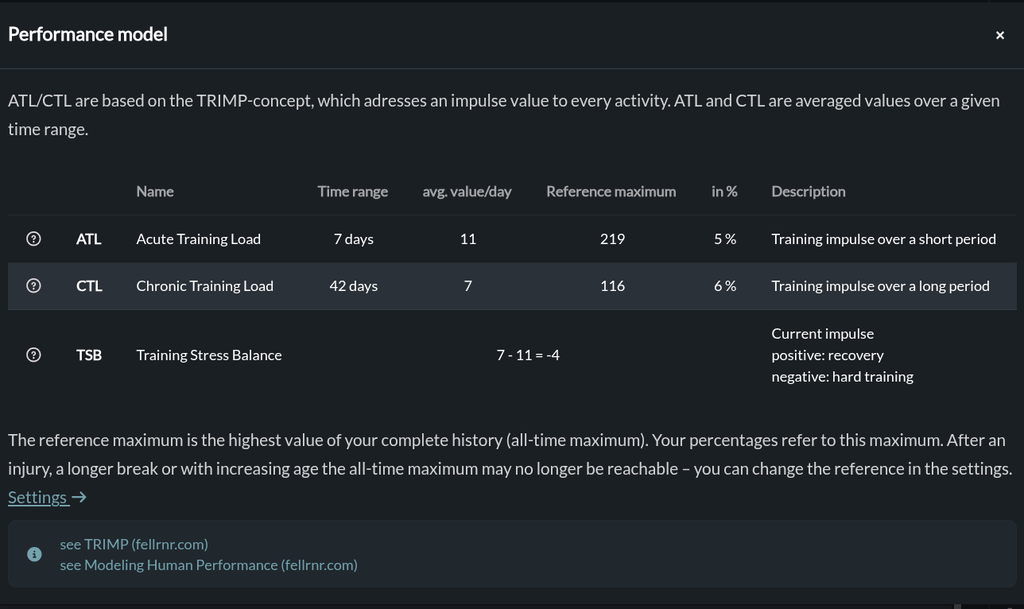
The performance model shows your current values, the active reference maximum and the resulting percentages.
Why the all-time maximum isn’t always right
For many athletes the all-time maximum works fine. But for many others it slowly turns into a problem:
- After an injury or a long break your old peak is out of reach for months, maybe for good.
- With increasing age the training volumes of ten years ago are no longer a realistic benchmark.
- A single overtraining phase can set a peak so high that it distorts your scale for years.
The result: your percentages drop and stay low. A comeback that is actually going well shows up as 40 %, and the number stops telling you anything useful.
You decide what 100 % refers to
There is now a new setting with four modes. Nothing changes unless you change it: the all-time maximum stays the default.
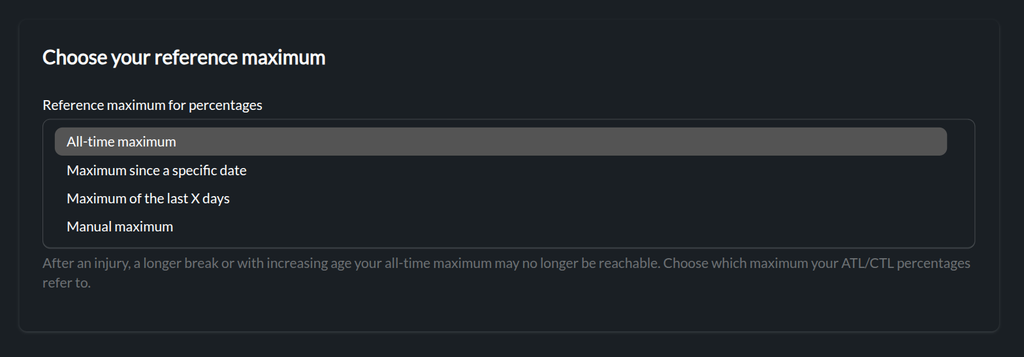
One setting, four modes.
Maximum since a start date
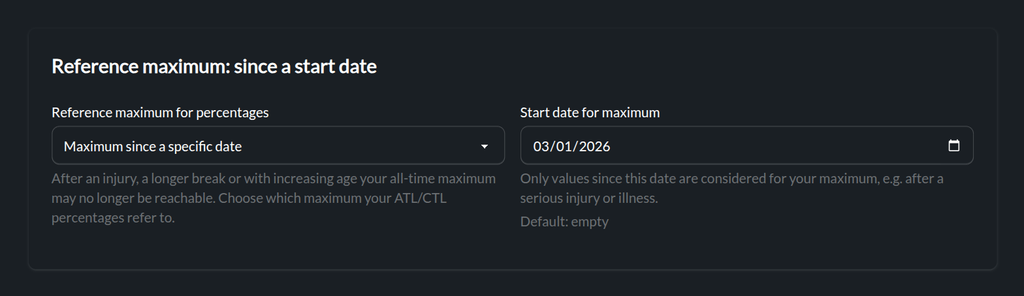
Only values since the date you choose count towards your maximum. Pick the day you started your comeback after an injury, an illness or a long break, and your scale starts fresh from there, your personal „day 0“.
Maximum of the last X days
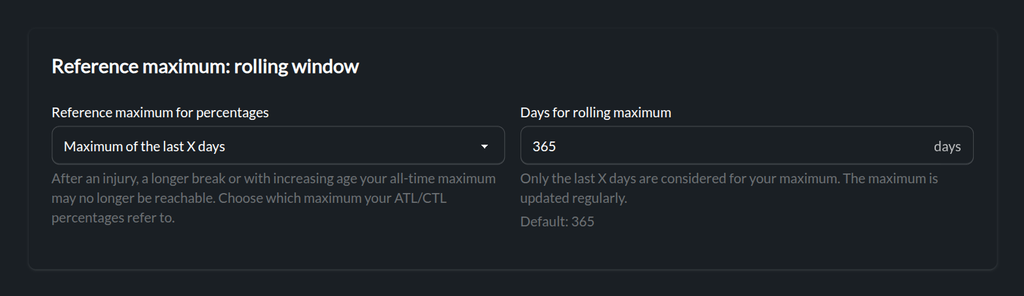
Your reference is the highest value within a moving window, 365 days by default. The maximum is recalculated regularly in the background, so it follows your current training level without you having to maintain anything.
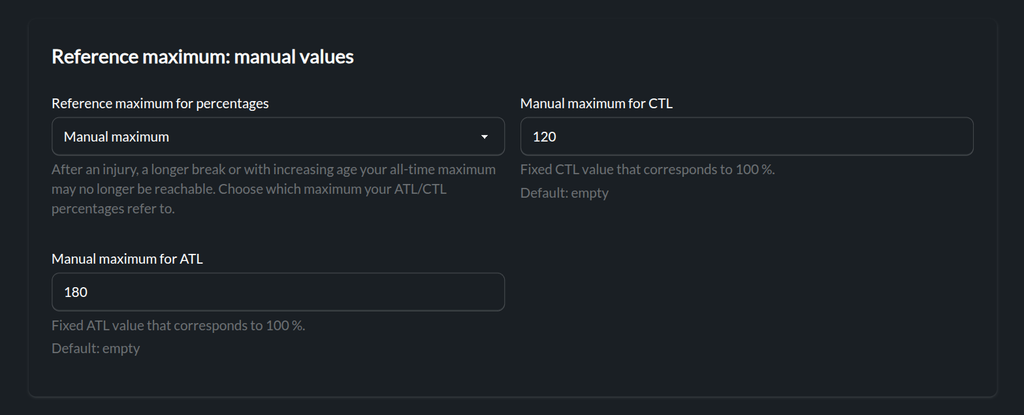
Manual maximum
If you know the level you want to measure yourself against, enter fixed values for CTL and ATL that correspond to 100 %. This is useful for athletes with a clear target, or for coaches who want a consistent scale.
Ignore single outliers with a quantile
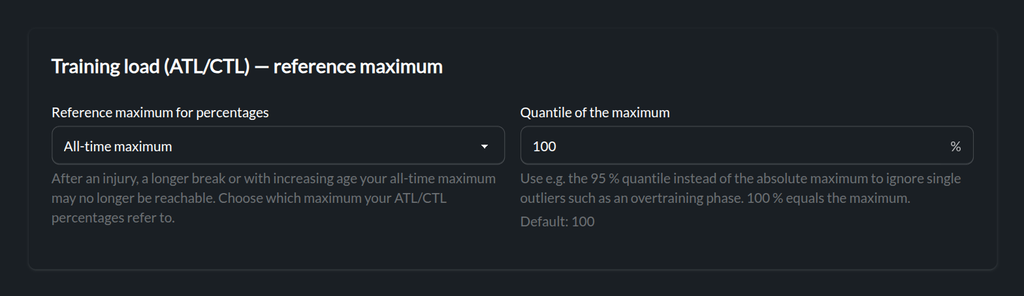
In addition to the mode, you can set a quantile. Instead of the absolute maximum, Runalyze then uses, for example, the 95 % quantile of your values. That way one extreme training block no longer defines your scale forever.
At 100 %, the quantile equals the plain maximum, so nothing changes by default. You can combine the quantile with every one of the four modes.
One setting, applied everywhere
Your choice is used consistently across Runalyze:
- the training load panel on your dashboard
- the shape chart and performance analysis
- your recovery status
- the performance model, which also tells you which reference maximum is active
Where to find it
Go to Settings → Calculations → Training load (runalyze.com/settings/calculations) and choose the reference that fits your situation.
A big thank you to everyone who requested, discussed and voted for this feature. If you have ideas for what we should build next, let us know in the feature request forum.